How to set the time and date
How to use a ROLEX Datejust
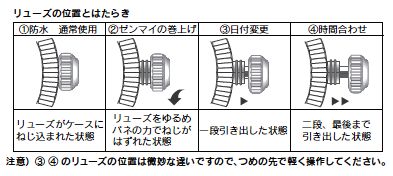
Please contact us for detailed instructions on how to use each product.
I. How to unlock
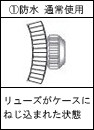
Normally, the crown is recessed and locked. (Figure 1)
Wind the crown towards you, then loosen it.
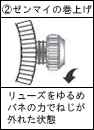
After loosening it for a while, it will reach the state shown in Figure 2, and you will be able to operate it.
II. How to wind the mainspring (as shown in Figure 2)
With the lock released, turn the crown inwards to wind the mainspring.
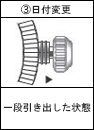
III. How to set the date (as shown in Figure 3)
From the state shown in Figure 2, pull the crown out one step.
Turning the crown advances the date.
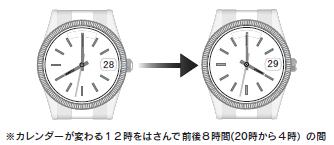
Please adjust the date fast-forward to avoid the period between 8 PM and 4 AM.
The date is adjusted between approximately 8 PM and 4 AM, so adjusting it during this time will cause a malfunction due to the machine's design.
IV. How to synchronize the time (as shown in Figure 4)
Pull the crown out one more step than shown in Figure 3.
Turning the crown fast-forwards the time in a clockwise direction.
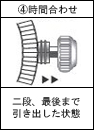
When setting the time, always turn it clockwise (to the right).
Turning it in the wrong direction may cause a malfunction, so please be careful.
The direction in which the crown rotates varies depending on the model.
V. Ryuzu's Lock
Once you've set the time, push the crown in to the position shown in Figure 2 and turn it inwards.
The second hand will start moving once it's locked.
Please be careful, as a loose seal may cause water leakage.

