



How to purchase
Edit purchase step
 STEP 1
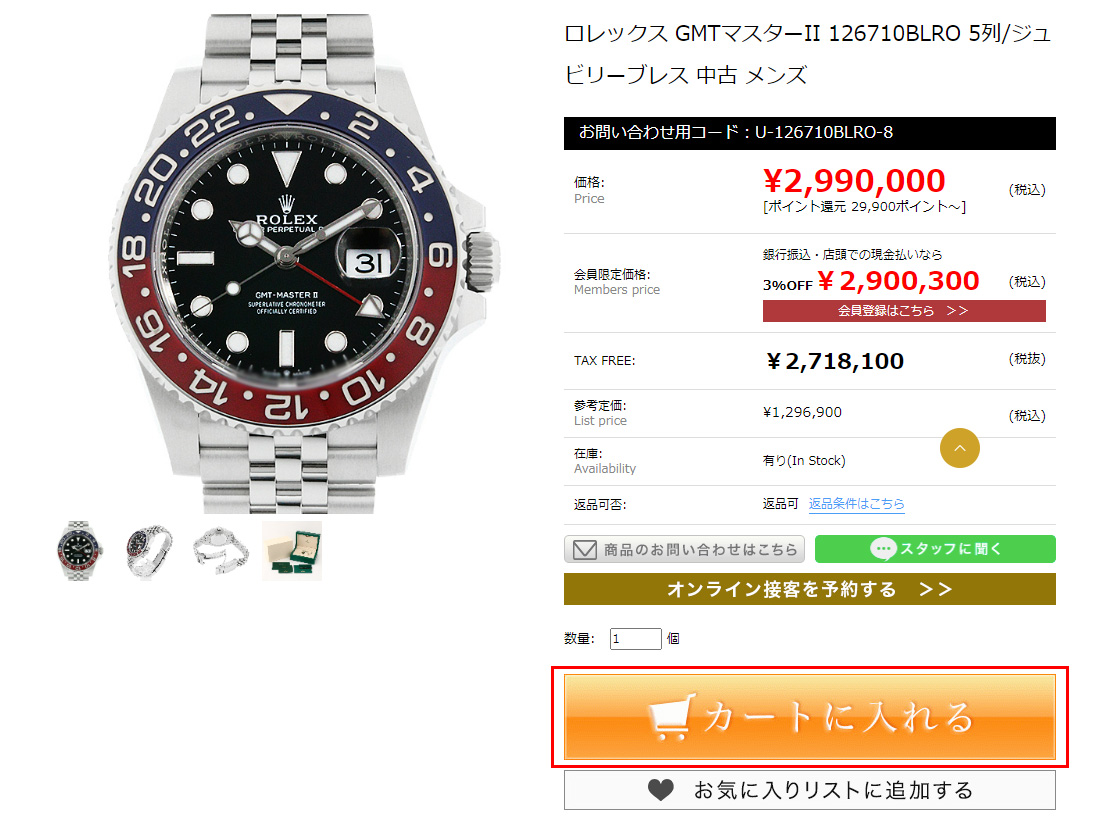
Photographic TAX FREE amount and product price.
Click the orange-colored "Add to Cart".
STEP 2
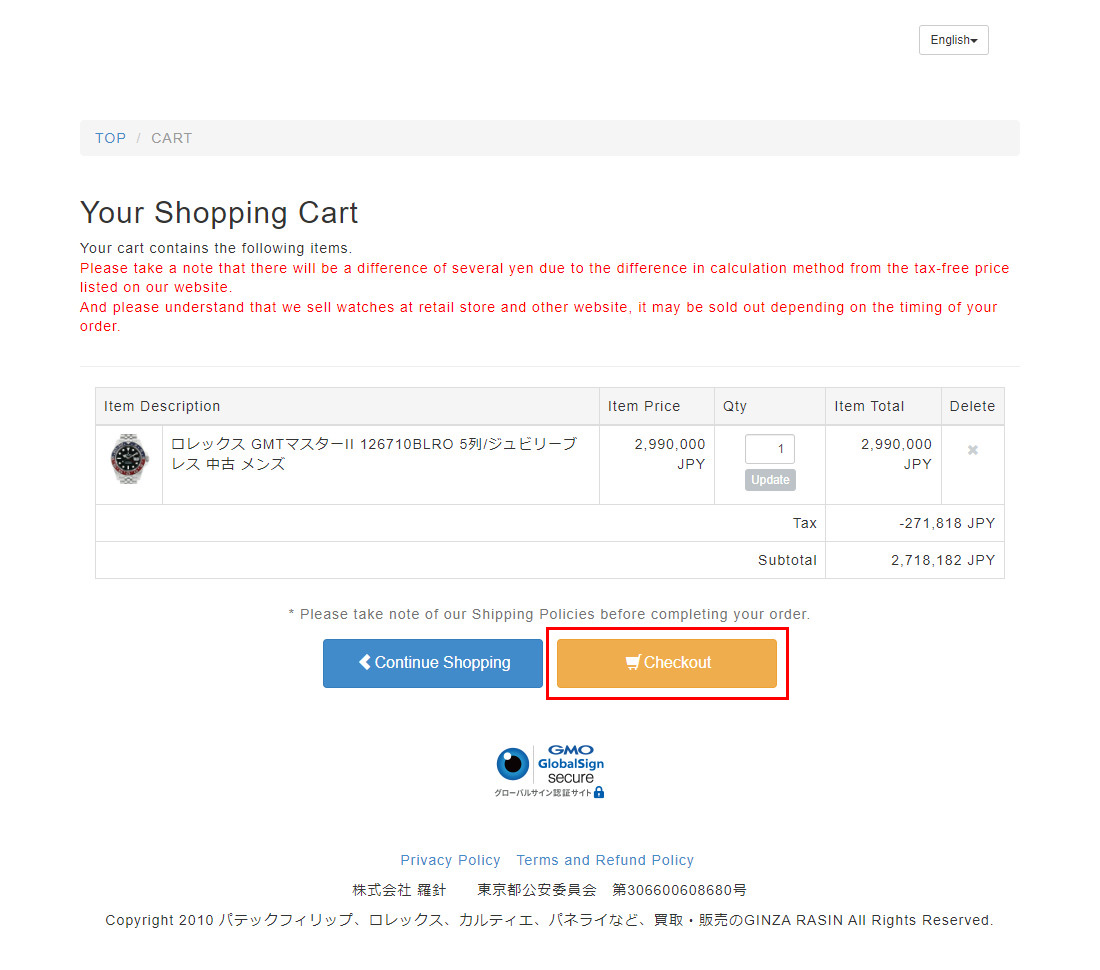
Confirmed product and price are accurate.
Please check out the correctness and accuracy.
STEP 3
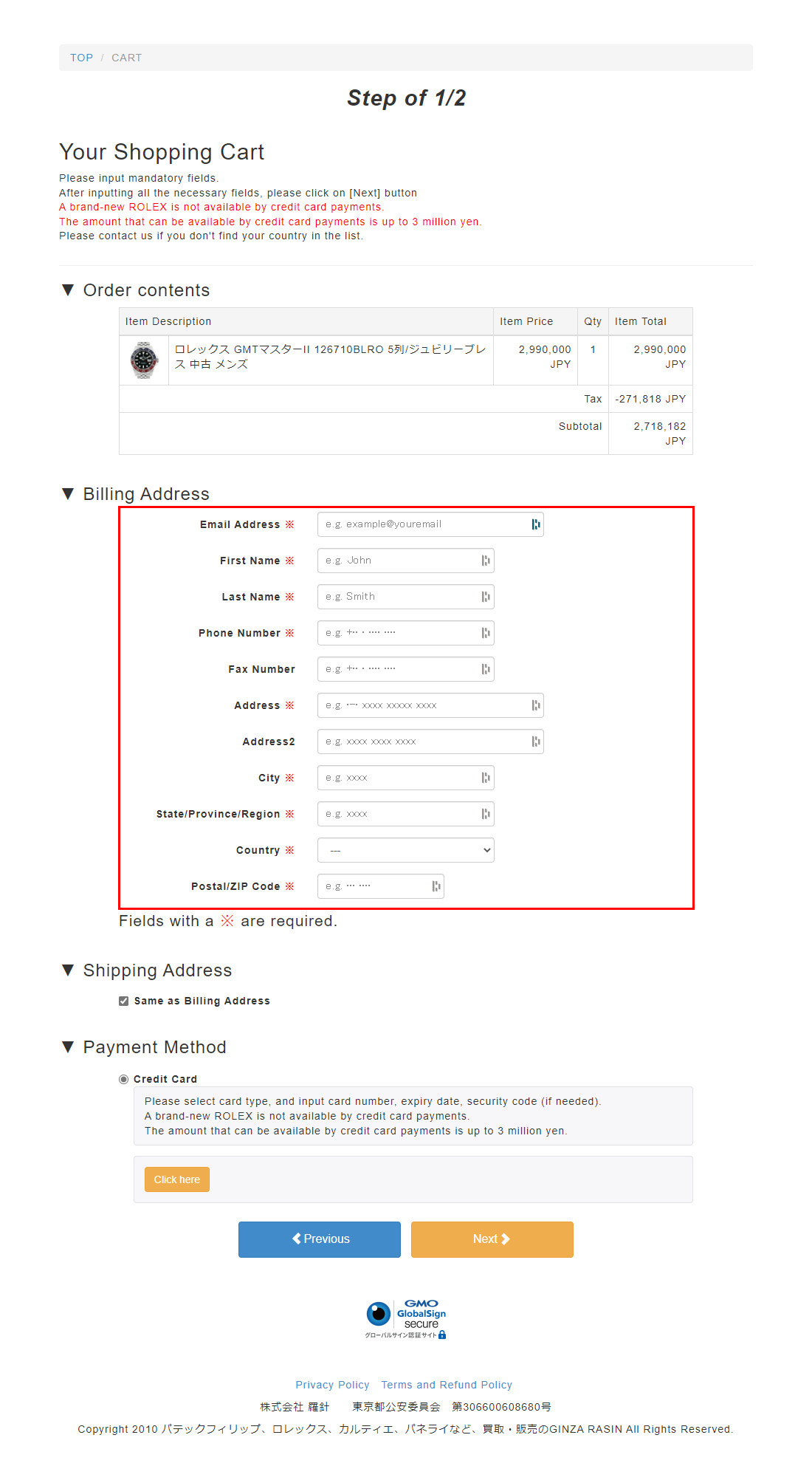
Information required for requesting a photo, including name, location, and telephone number.
STEP 4
Click here to open and close the book.
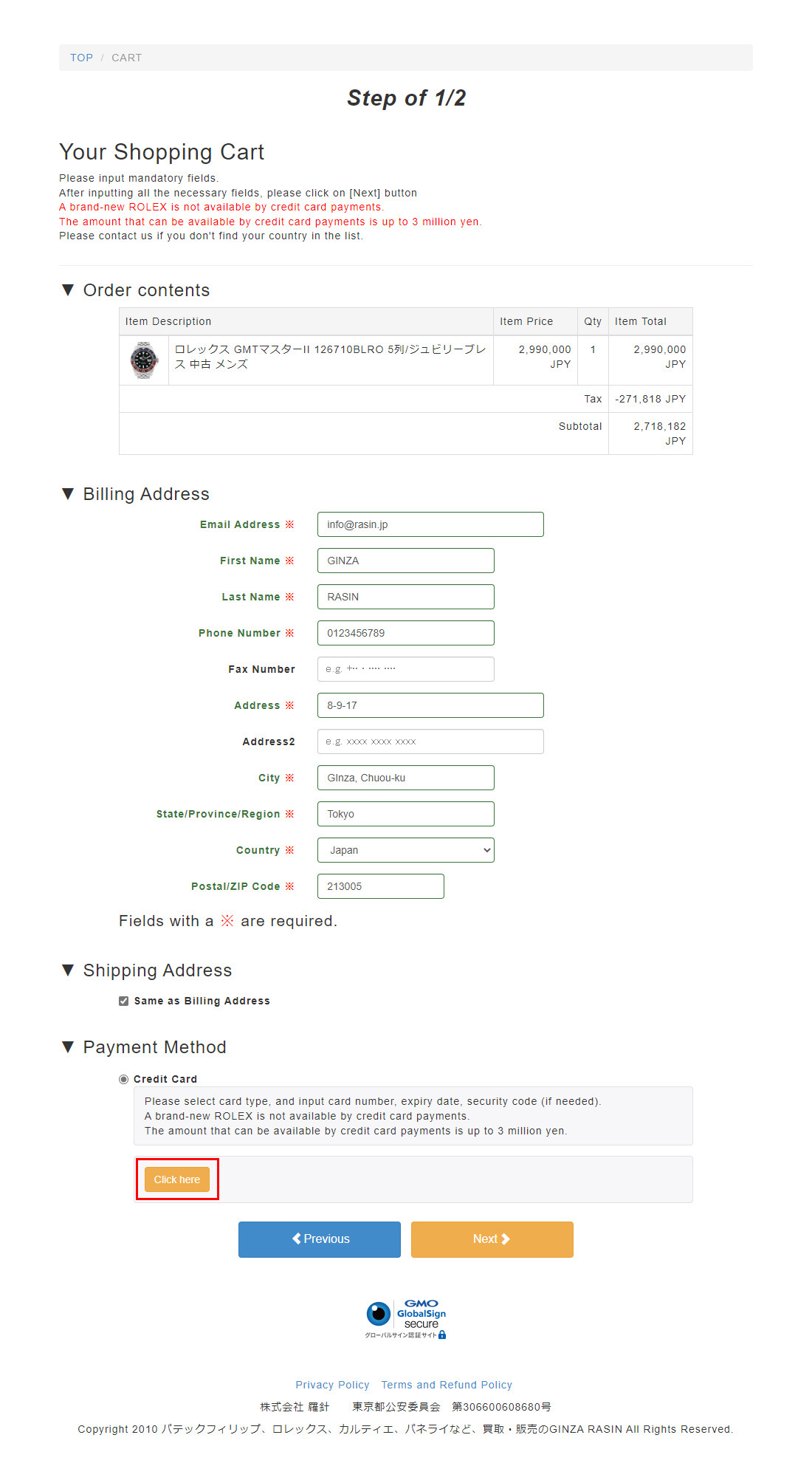
STEP 5
After the credit card was imported, the card was ordered to be imported.
After import, proceed with the offer.
*A binding method other than illegal use of credit cards.
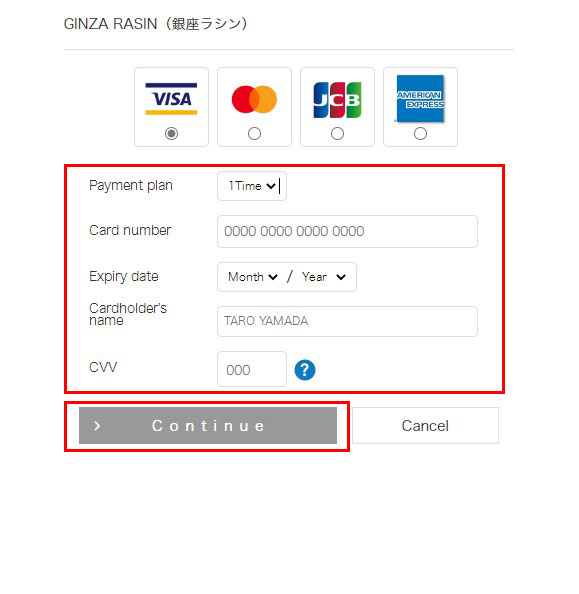
STEP 6
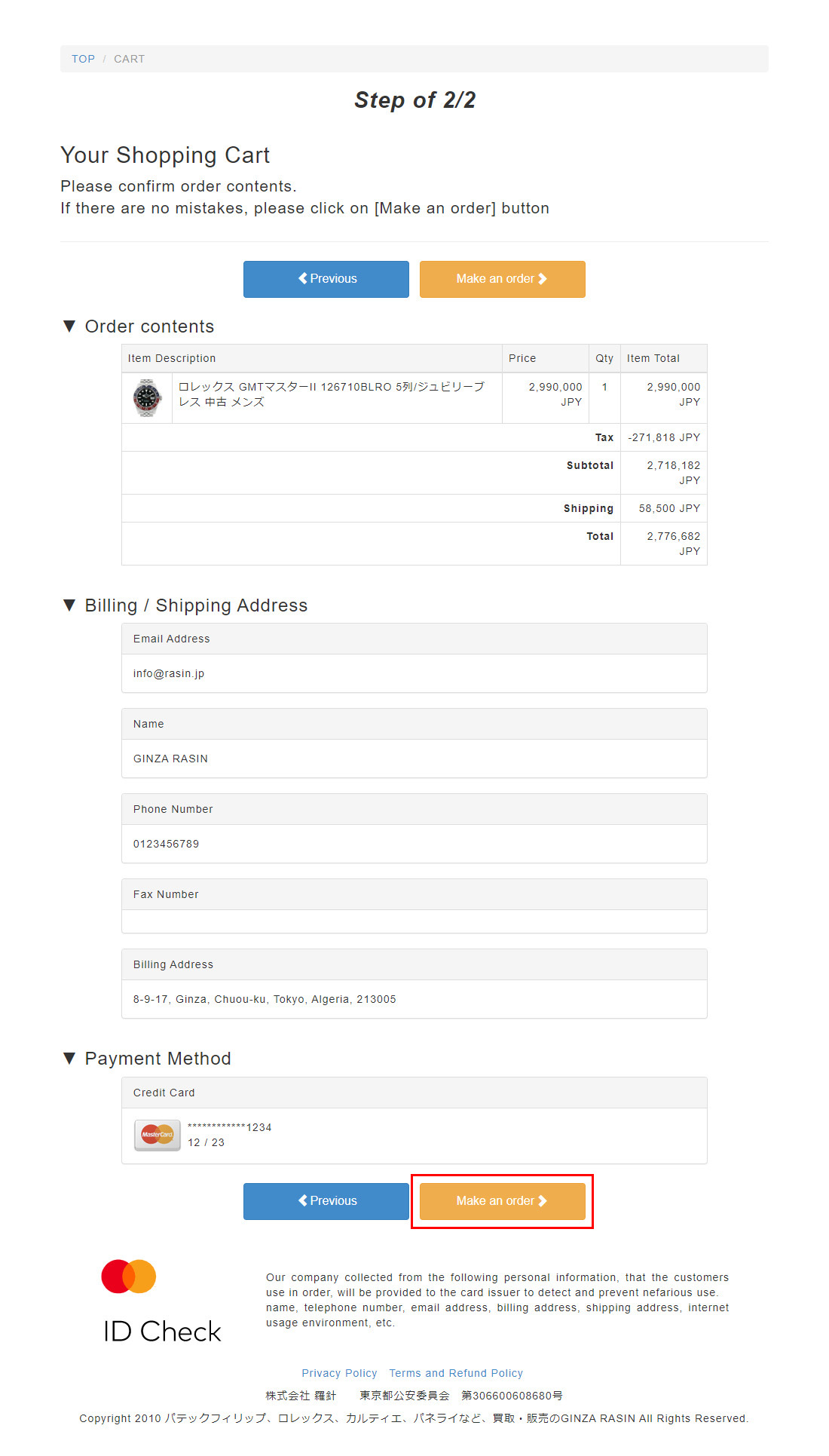
After the import is completed, the Payment Method field will appear to ask for imported credit cards.
After confirming that there are no errors, proceed with the request.
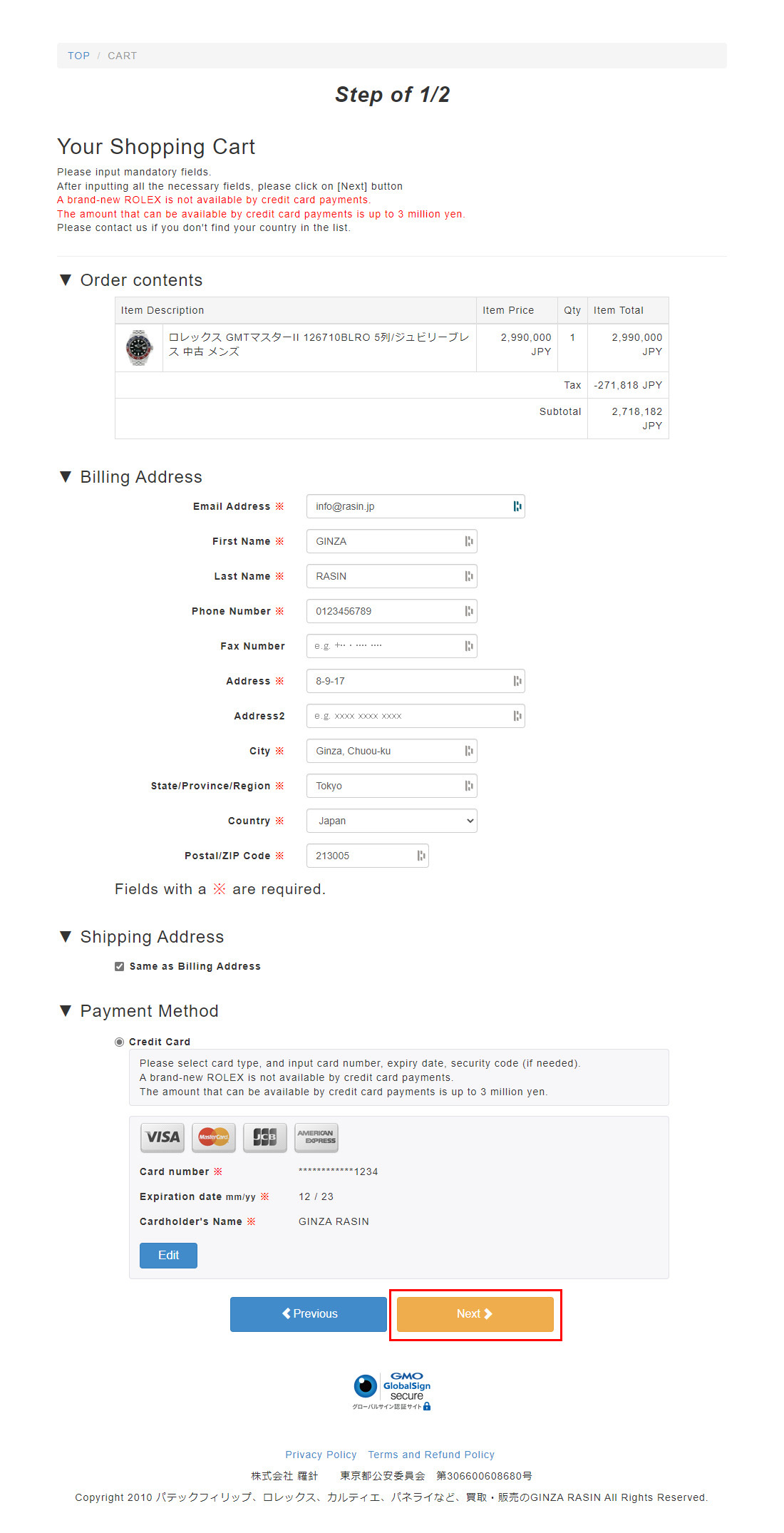
STEP 7
Reconfirmation of the request is correct or not.Import error.
Finally, make an order, complete purchase.
Head office meeting information, courtesy letter.