



How to Order
Steps to order
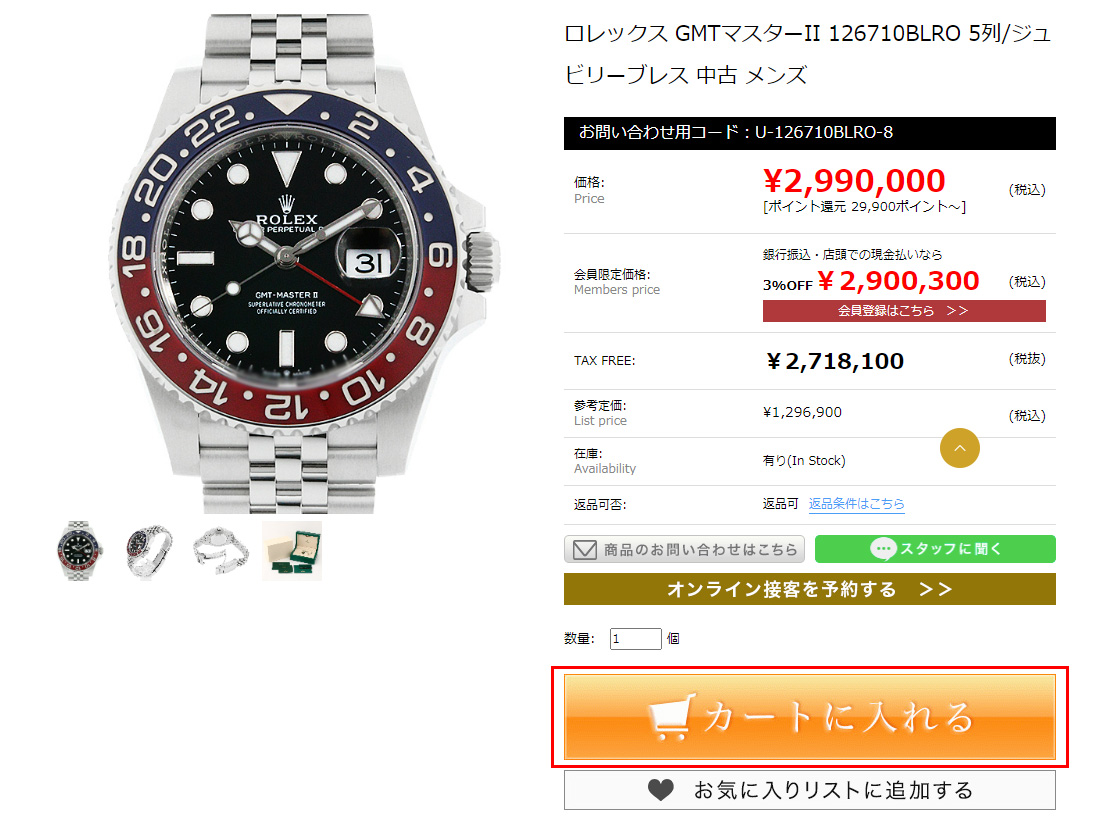
 STEP 1
The TAX FREE amount is the price of the product.
Click the orange button “Add to cart”.
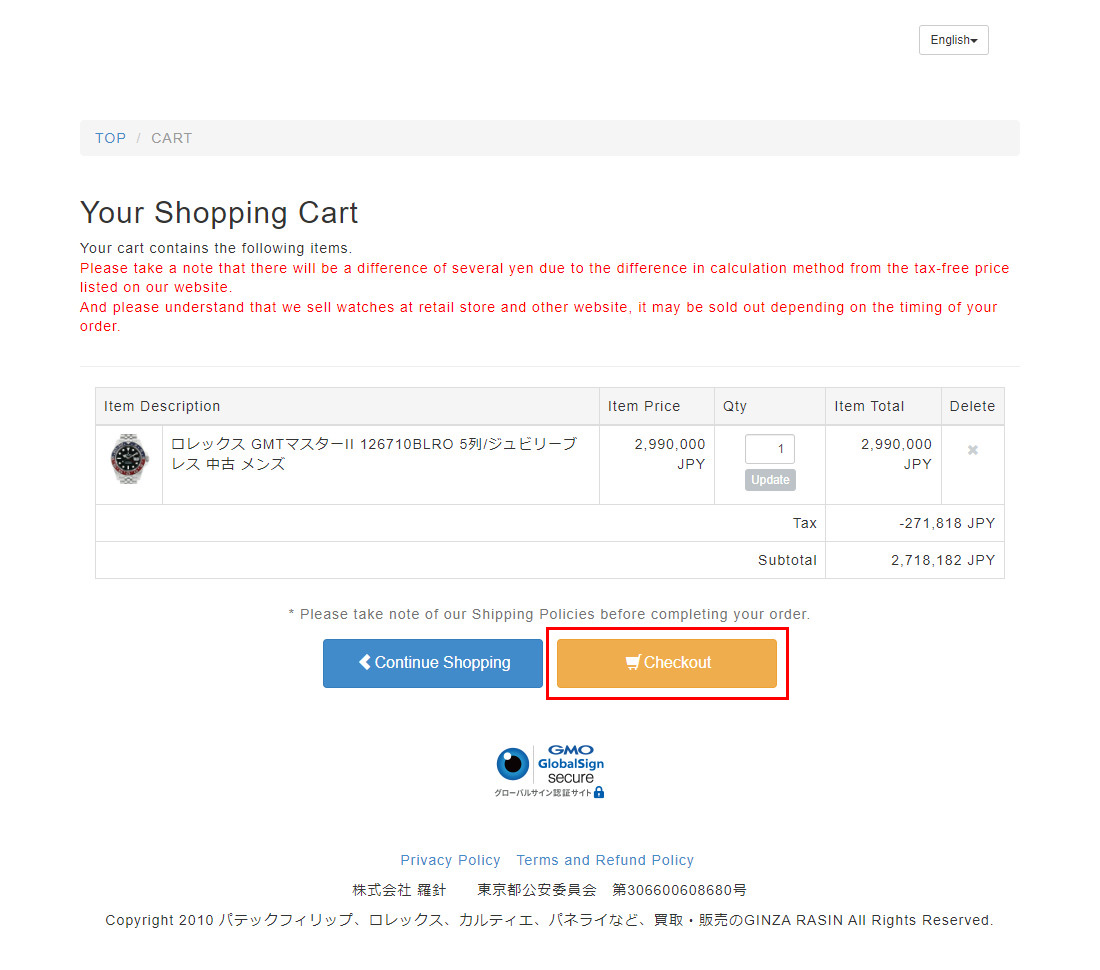
STEP 2
Check if there is no error in the product you chose and its amount.
If there is no error, click on “Checkout”
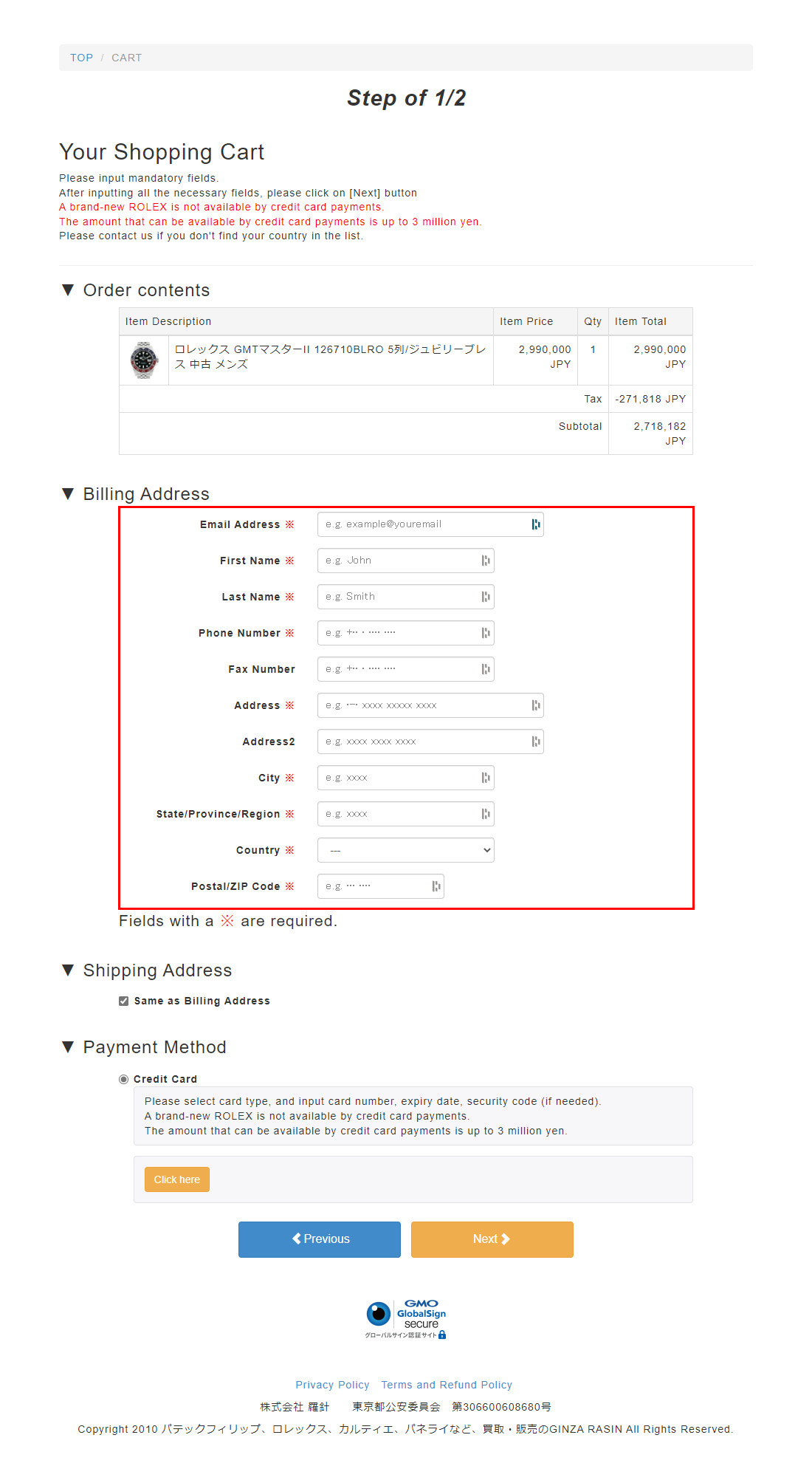
STEP 3
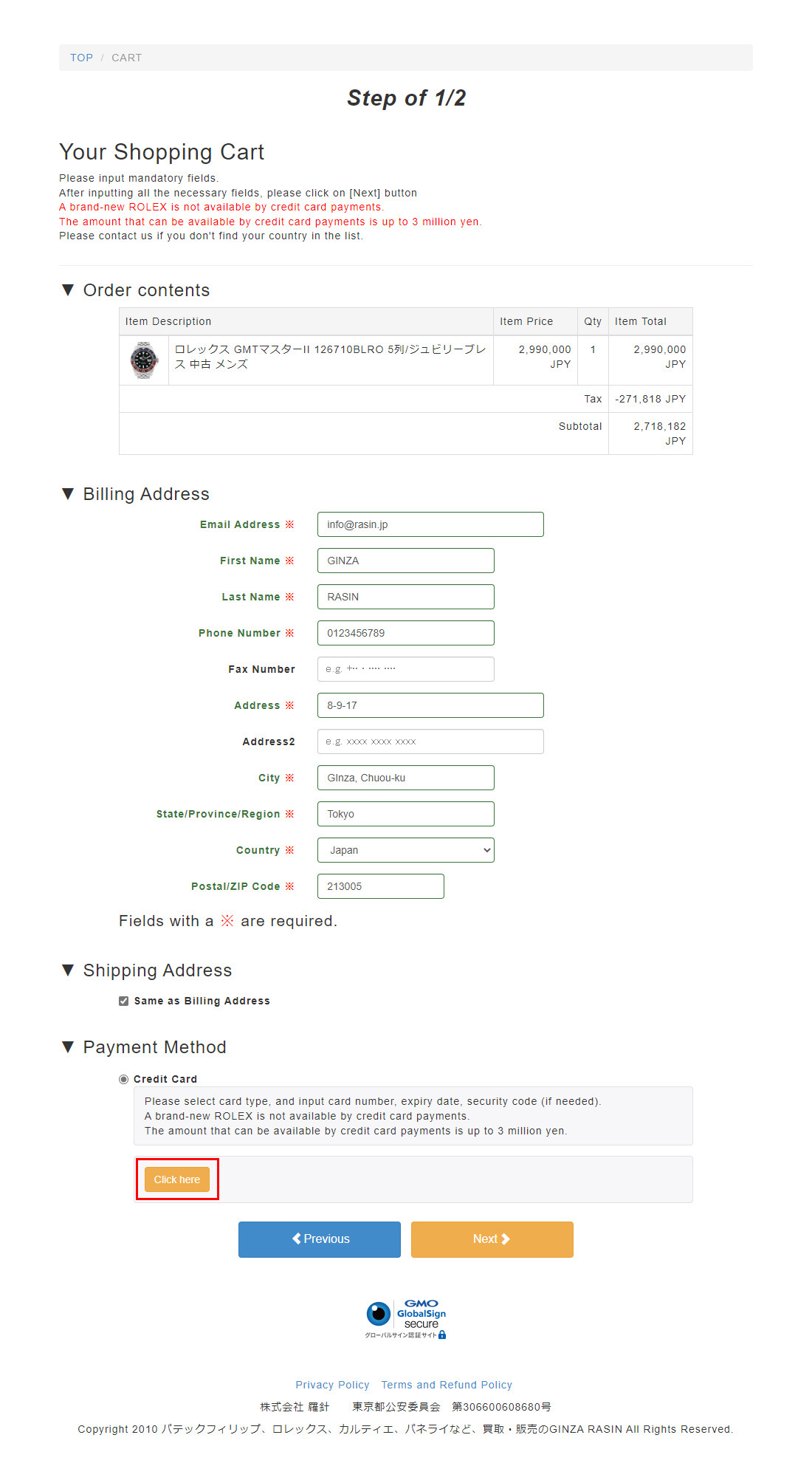
Fill out all the information required such as your name, address and telephone number.
STEP 4
Click on “Click here” to open the payment window.
STEP 5
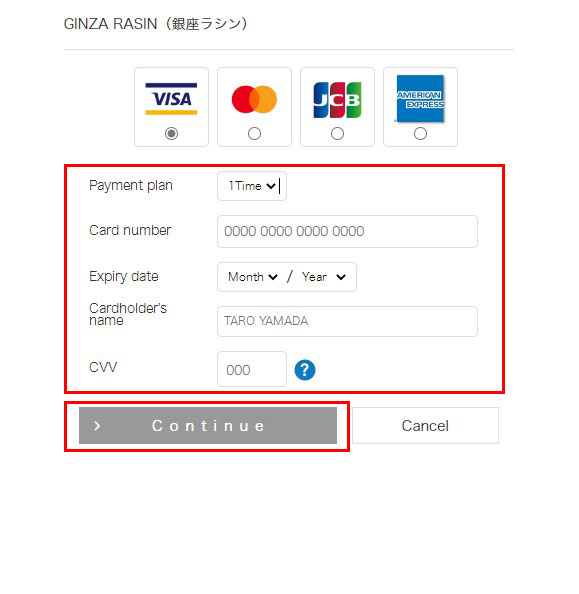
The window will show for you to enter your card information.
Once you finished entering your payment information, click on “Continue”.
*You cannot choose any payment method other than credit card.
STEP 6
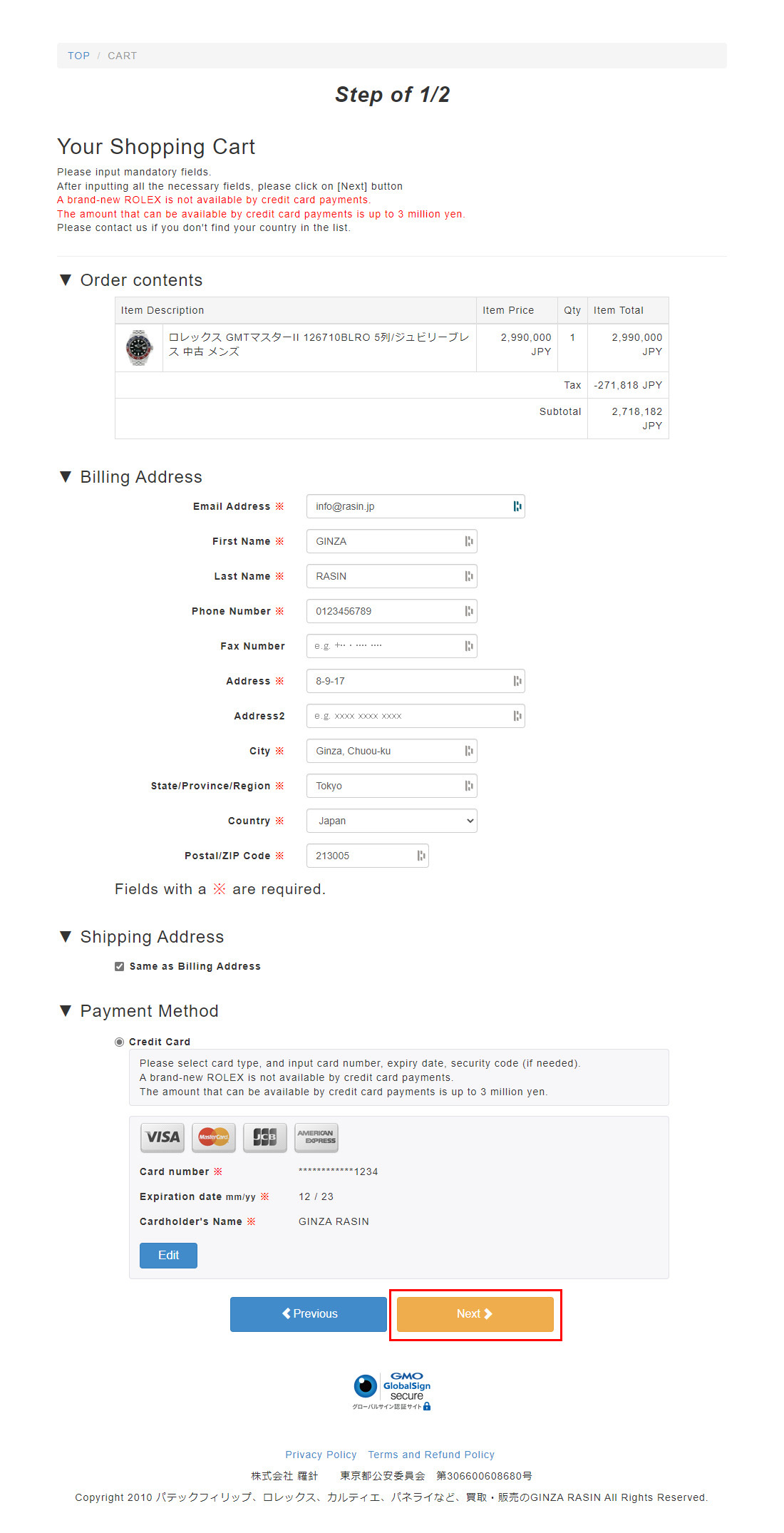
Once data entry is complete, the credit card information you entered will show in the “Payment Method” section.
Once you confirmed there is no error, click on “Next”.
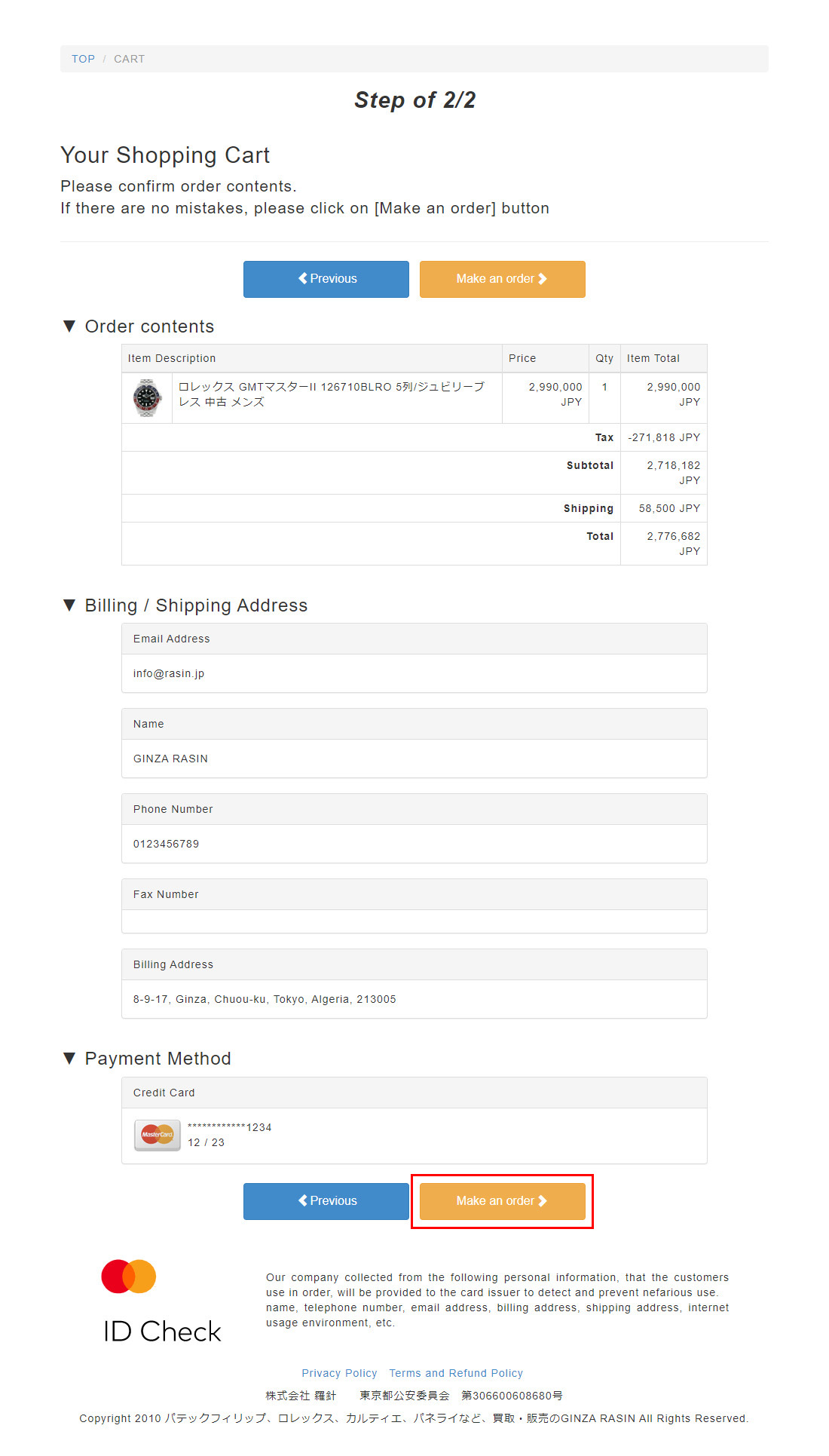
STEP 7
Check once again if there is no error in the information you entered.
Finally, click on “Make an order” to complete your order.
Then please wait for the email of information our store will send you.