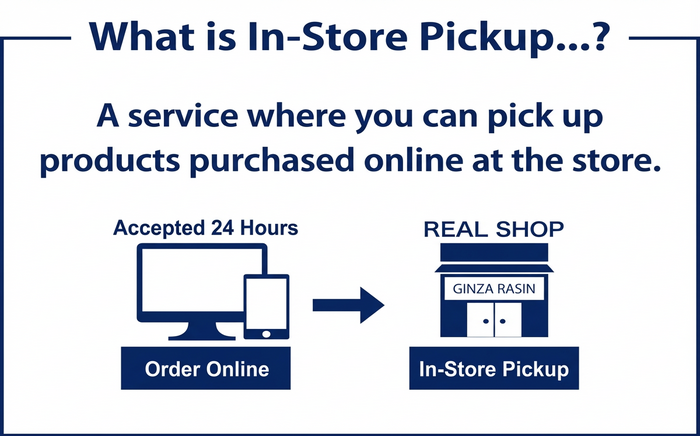
Steps to pick up at store
-

① Specify "Pick up in store" as the delivery address and make payment.
-

② You will receive an email from the store regarding the date and time your item can be picked up.
-

③ Pick up your item at the store.
Steps to pick up at store
This service allows you to pick up products ordered from our online shop at our store.
-
STEP 1
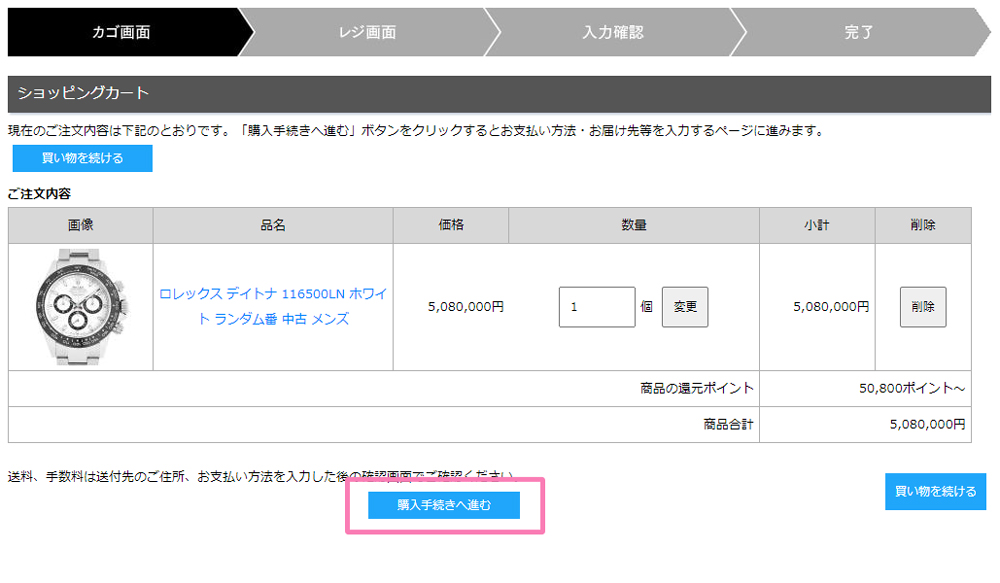
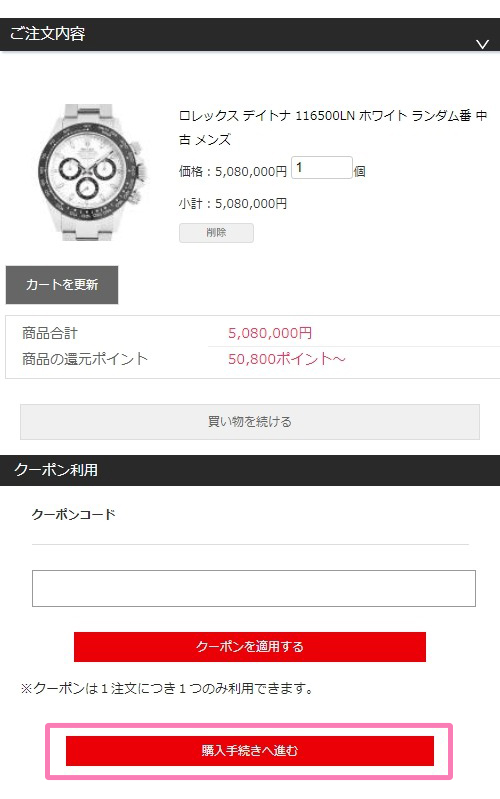
Select the product you want and click the "Add to Cart" button. You will be taken to the "Shopping Cart" page, where you can review your items and then click the "Proceed to Checkout" button.
-
STEP 2
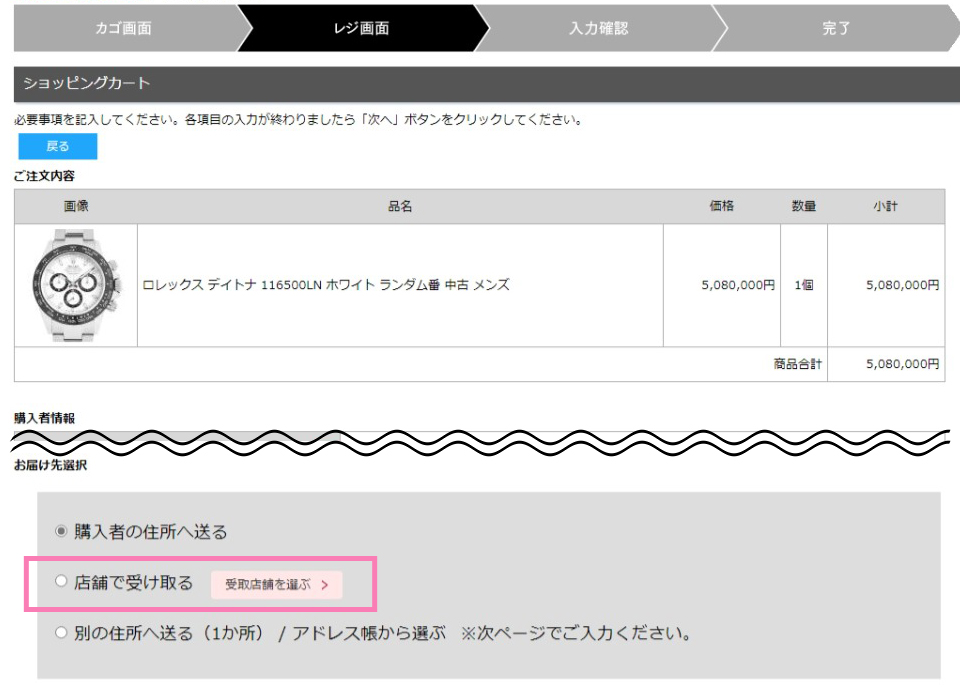
On the shopping cart checkout page, set the delivery method to ‘In-Store Pickup’ and choose the store where you would like to receive your order. Then, select your preferred payment method.
-
STEP 3
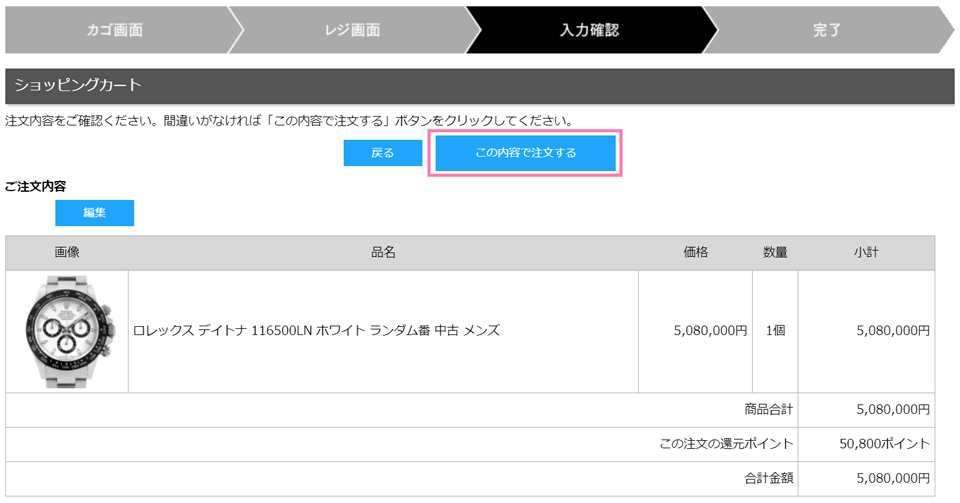
Please proceed to the next page, review your order details, and then click the ‘Place Order’ button.
-
STEP 2
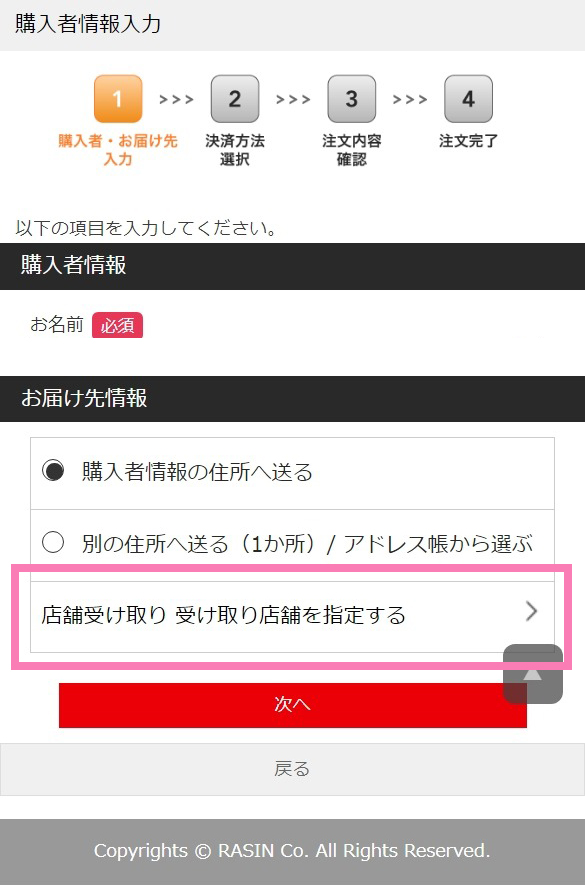
For delivery information, select "Pick up in store - Specify pickup store."
-
STEP 3
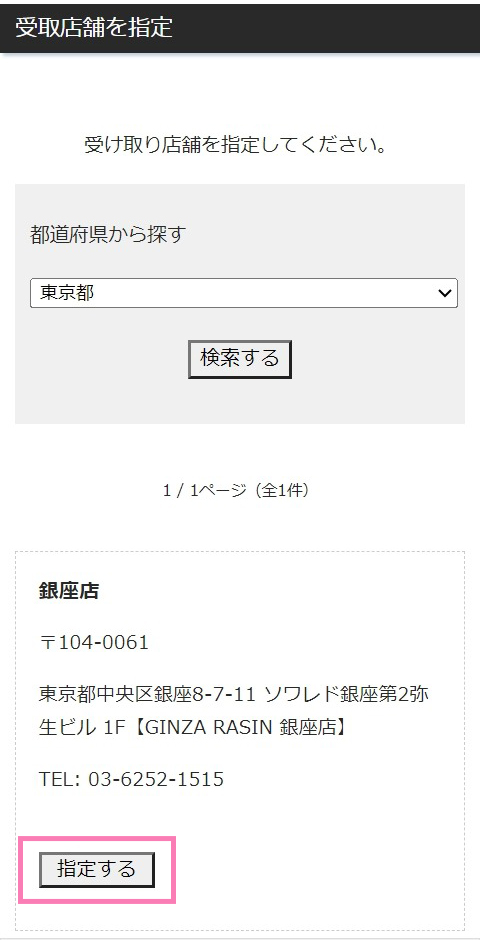
You will be redirected to a page where you can specify the store where you would like to receive your order.
-
STEP 4
Please proceed to the next screen, select your payment method, confirm your order details, and then click the "Place Order" button.
Important points about in-store pickup service
* If the pickup store is different from the Available at, shipping the product will take some time.
Therefore, we may not be able to deliver on your requested delivery date.
We will inform you of the final available delivery date and time by email after payment is completed.
* Please receive your product within one week from the delivery date. We also accept requests for items to be shipped, so please contact us if you wish to do so.
Please see here for information on the identification documents required for in-store pickup.
* In-store pickup is not available for shopping loan payments via mail order due to the contract.

